
Integrations

MT5 integrations for everything around your server

XFIV integrates your MT5 server with the systems a brokerage runs: CRM, KYC and payment providers, liquidity bridges, AI assistants via MCP, and your own tools through webhooks. It is for MT5 brokers who want one documented integration layer, XFIV Connect, instead of a pile of one-off scripts.

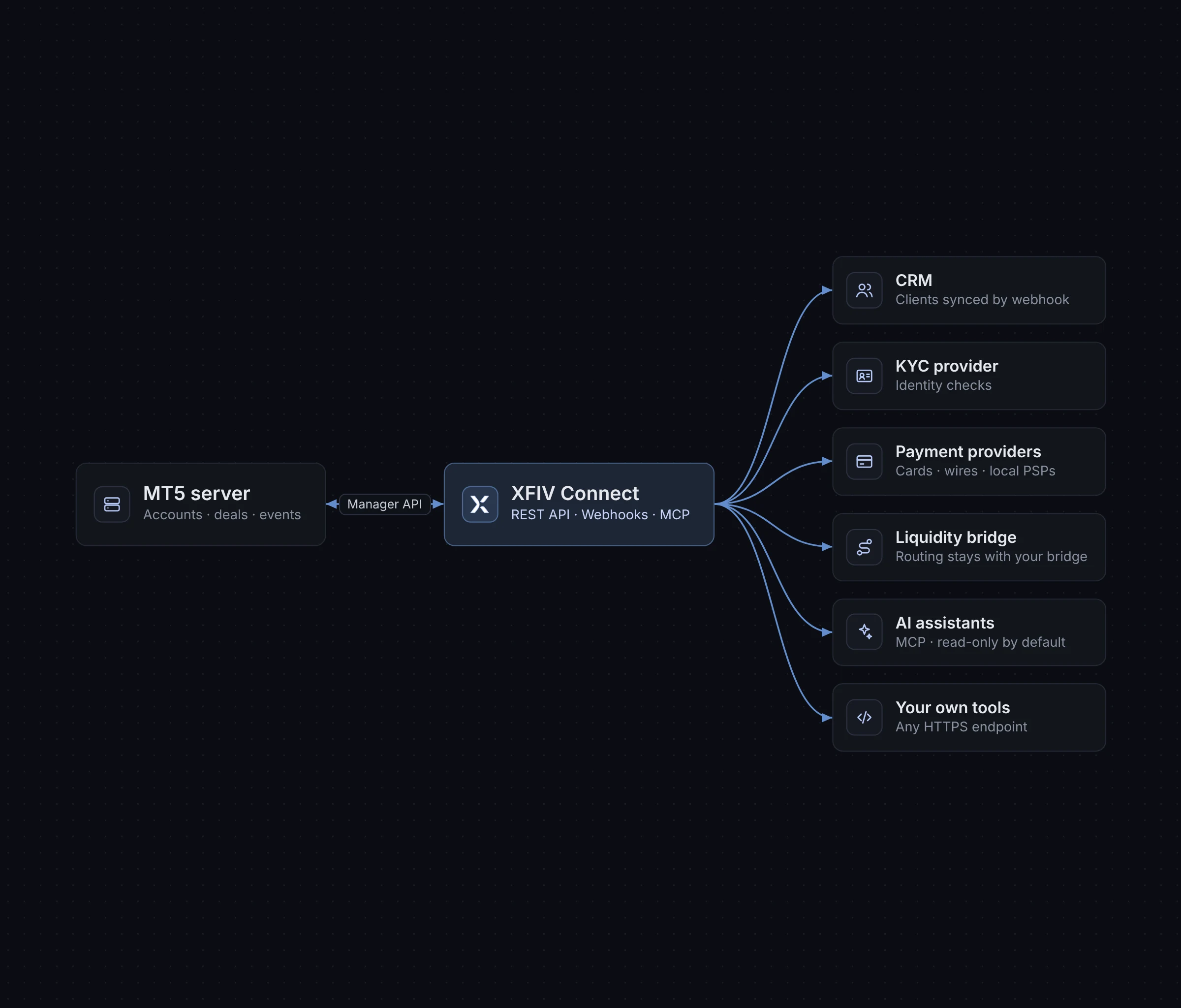
XFIV Connect at the centre of MT5, CRM, KYC, payments and AI assistant integrations
How it works

One integration layer instead of many point-to-point links

A brokerage connects many systems to MT5. The portal creates accounts. The CRM needs client and balance data. Payment providers report deposits. KYC checks decide who can trade. Each link built separately becomes another script to maintain.

XFIV Connect sits between your MT5 server and everything else. It exposes one documented API, sends webhooks when things happen, and logs every request. The XFIV products use the same layer, so your own systems see the same data your clients see.

Below are the integration categories XFIV supports. Specific providers are confirmed per project, because the right choice depends on your jurisdiction, client regions and existing contracts.

Engineered to Connect,
Built for MT5

XFIV Connect is the core every product runs on. It links your MT5 server to the portal, terminal and copy engine through one documented API, with webhooks for near real-time events, a sandbox for testing, and an MCP layer so approved AI assistants can read data safely.

Rate limits
Protects your MT5 server
Sandbox
Test before you go live
API

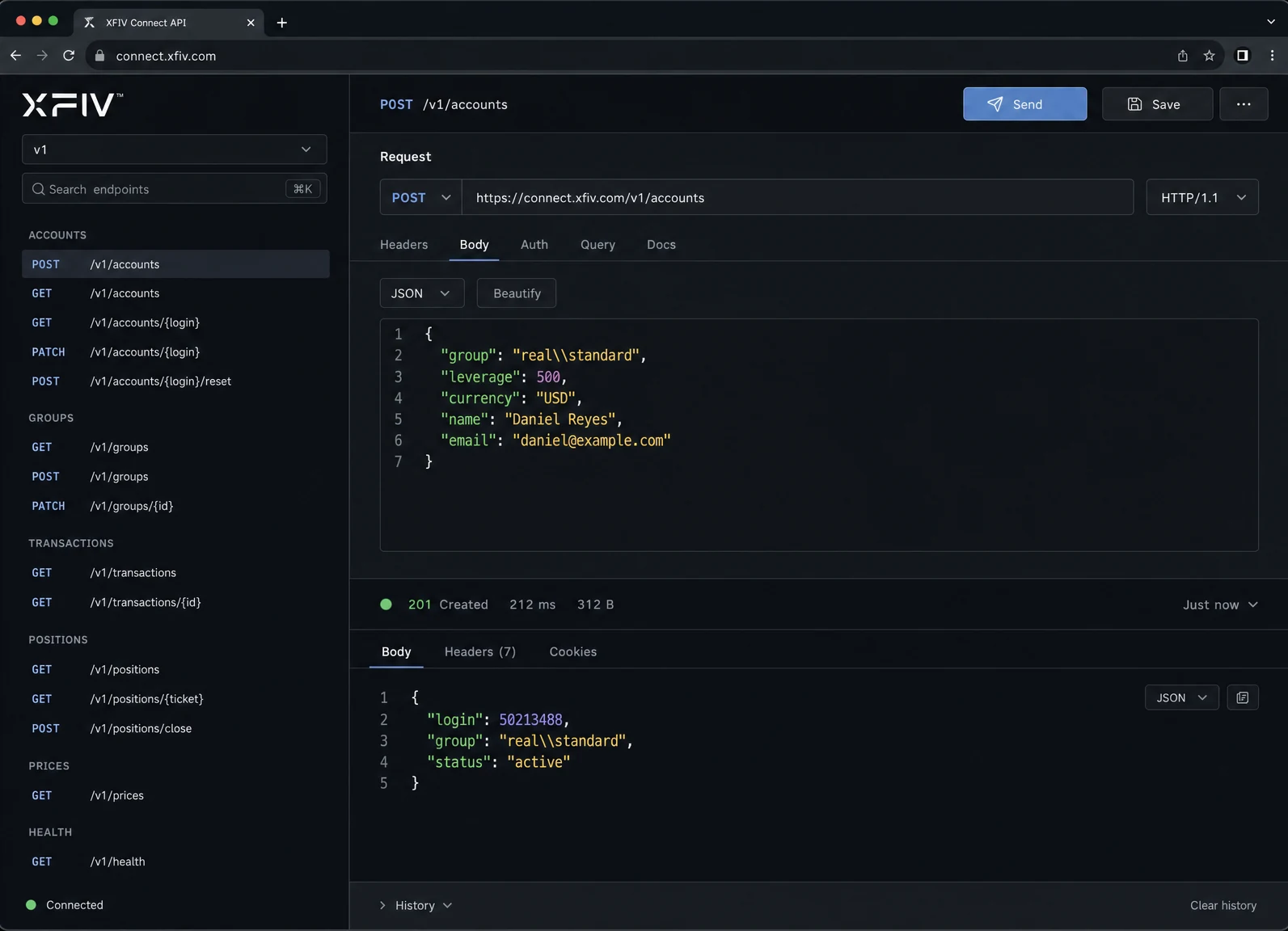
A documented API for MT5 data

XFIV Connect gives your developers one API to create accounts and read client, balance and trading data, instead of working with low-level server interfaces directly. The full reference lives on the XFIV Connect page and in the developer docs.

  • Account creation and data reads
  • One API across all XFIV products
  • Audit log entry on every request
XFIV Connect API request and response for an MT5 account
Webhooks

Events pushed to your systems as they happen

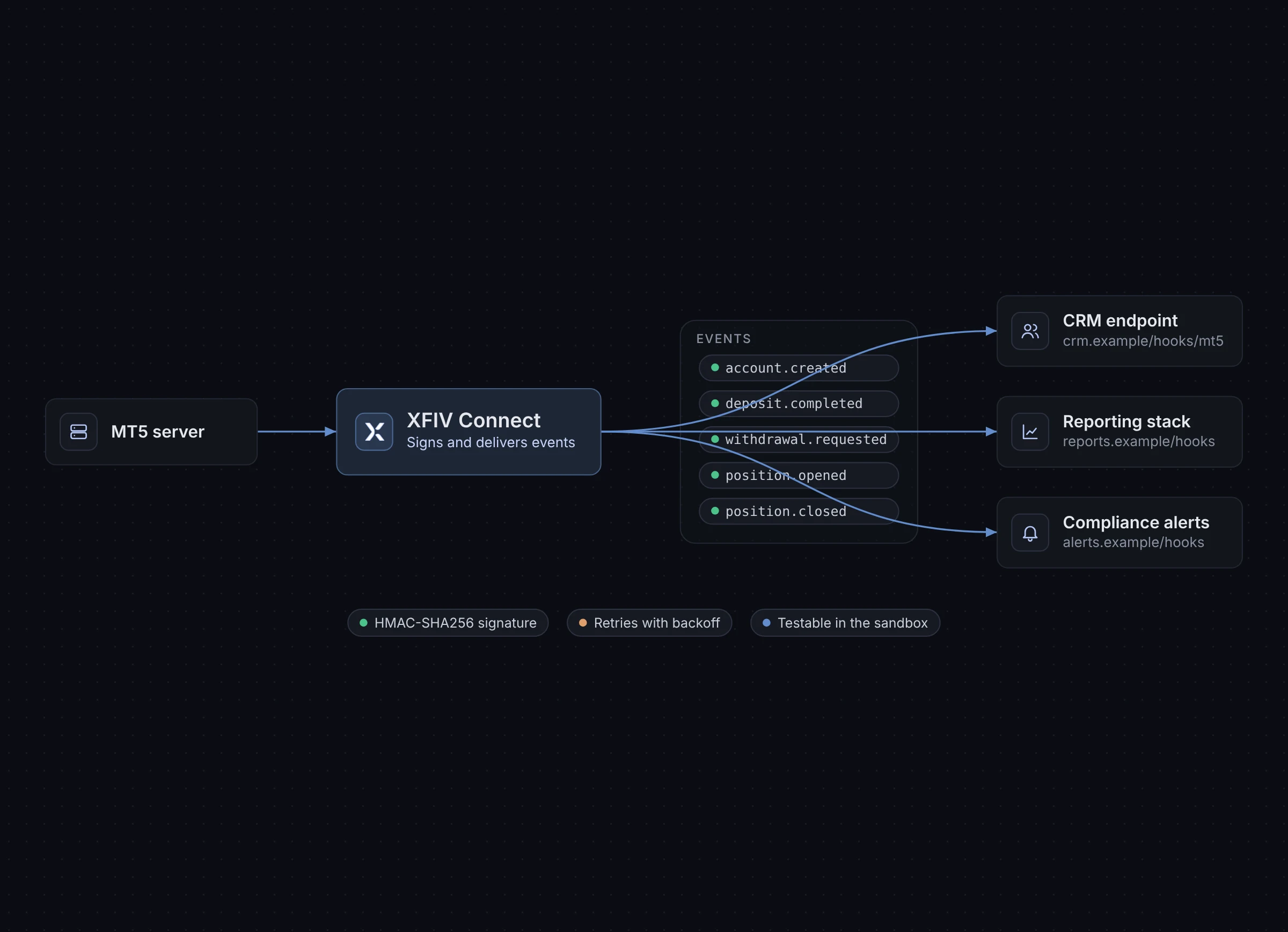
Webhooks notify your systems when something changes, so your CRM or reporting stack does not have to poll MT5. You choose which events go to which endpoint.

  • Account, funding and trading events
  • Endpoints you control
  • Testable in the sandbox
Webhook events flowing from XFIV Connect to a broker’s CRM
MCP

Safe access for AI assistants

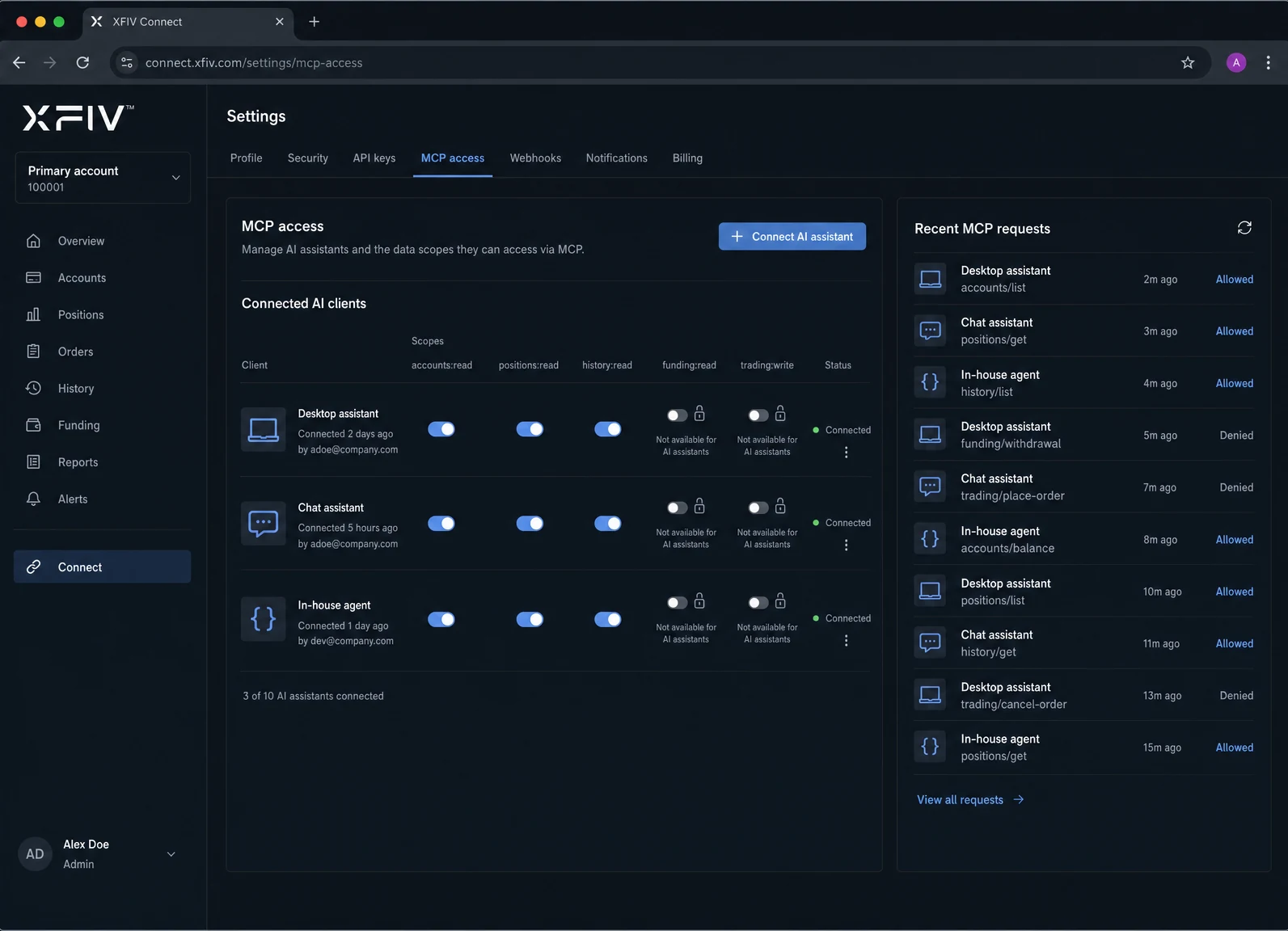
The Model Context Protocol lets clients connect AI assistants to their trading accounts. XFIV keeps this read-only by default, you decide the scope, and every request is recorded. AI assistants never place trades.

  • Read-only by default
  • Scopes set by the broker
  • Every request logged
MCP permissions console showing read-only scopes for an AI assistant
Responsibilities

Who provides what

XFIV provides the integration software. Third-party services are contracted by the broker.

IntegrationXFIV providesBroker provides
MT5 serverIntegration through XFIV ConnectMT5 licence or white label
CRMAPI and webhooks, or XFIV BrokerOSExisting CRM, if kept
KYCStatus handling in XFIV PortalKYC provider contract
PaymentsFunding requests and routingPayment provider contracts
Liquidity bridgeWorks alongside itBridge and liquidity contracts
AI assistantsMCP layer with scopes and logsPermission settings
WebhooksEvent deliveryReceiving endpoints
Getting connected

How an integration project runs

  1. Map your systems

    List what connects to MT5 today and what should connect after the change.

  2. Connect in the sandbox

    Link XFIV Connect to a test environment and wire up webhooks to test endpoints.

  3. Add providers

    Connect your chosen KYC and payment providers and confirm data flows end to end.

  4. Go live and monitor

    Switch to production and review audit logs as traffic grows.

FAQ

Common questions

What integrations does XFIV support for MT5?

XFIV Connect integrates with your MT5 server and supports CRM, KYC and payment provider integrations, works alongside liquidity bridges, connects AI assistants via MCP and sends webhooks to your own systems.

Which KYC and payment providers can I use?

Providers are confirmed per project. The right choice depends on your jurisdiction and client regions. Tell us which providers you use or plan to use and we will confirm how they connect.

Can I keep my existing CRM?

Yes. Your CRM can read data through the XFIV Connect API and receive webhooks. You do not have to switch to XFIV BrokerOS.

Can AI assistants trade on client accounts through MCP?

No. MCP access is read-only by default, scoped by the broker and logged. AI assistants never place trades.

Map your integrations with us

Book a demo. Bring a list of the systems around your MT5 server, and we will show how they connect through XFIV Connect and set you up in the sandbox.

Last reviewed 2026-10-29