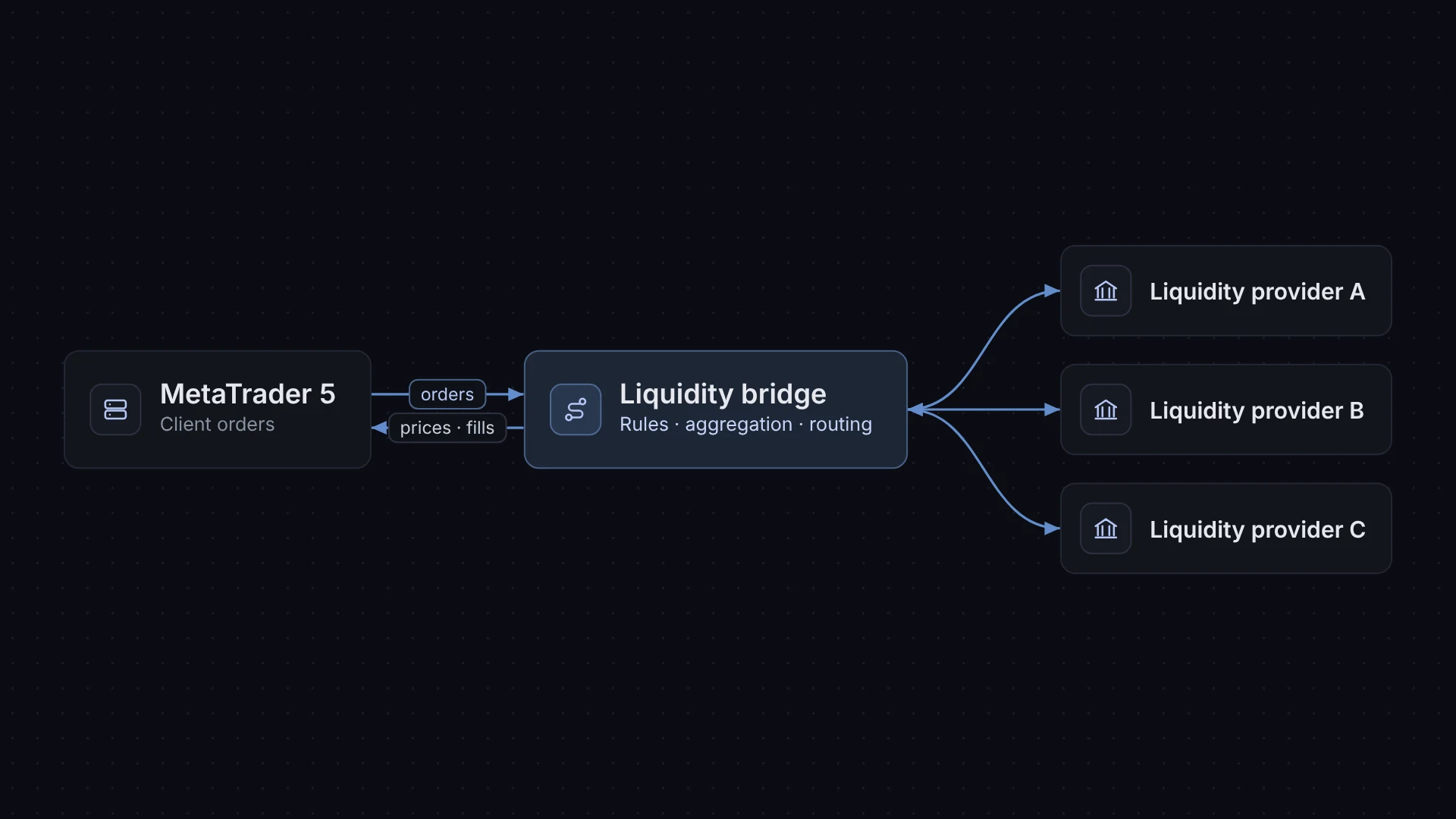
What the term means
A trading platform such as MT5 manages accounts, orders and positions. On its own, it does not connect to banks, prime brokers or other liquidity providers (LPs). A bridge fills that gap.
The word “bridge” describes its job: it sits between two systems that speak different protocols. On one side is the platform’s server interface. On the other side is usually the FIX protocol, the common messaging standard used by LPs.
How it works
- The bridge receives price quotes from one or more LPs and aggregates them into a price feed.
- The bridge or the platform applies the broker’s markups and sends prices to clients.
- A client places an order in the terminal. The platform passes it to the bridge.
- The bridge applies routing rules and sends the order to the chosen LP, usually over FIX.
- The LP returns a fill, partial fill or rejection.
- The bridge writes the result back to the platform, which updates the client’s position.
All of this happens within the time a client waits for an order to execute, so latency and reliability matter.
Key components
- Platform gateway: the connector to MT5 or another trading platform.
- LP connectors: FIX sessions or proprietary APIs to each liquidity provider.
- Price aggregation: combines quotes from several LPs and selects the best or a weighted price.
- Routing rules: decide which orders go to which LP, and which stay internal, based on group, symbol, size or other criteria.
- Markup and execution settings: spreads, commissions, slippage settings.
- Monitoring: dashboards and alerts for session health, rejections and latency.
- Reporting: trade reports for reconciliation between the platform and LPs.
Bridges and execution models
Brokers often describe routing in terms of A-book, where orders are passed to an external LP, and B-book, where the broker takes the other side internally. Many run a hybrid. The bridge’s routing rules are where that choice is configured. Which model a broker may use depends on its licence and local rules, so check with your legal and compliance advisers.
What to look for
- Which platforms and platform versions are supported.
- Which LPs already have connectors, and how a new LP is added.
- Where the bridge is hosted relative to the platform and LP servers.
- How failover works if an LP session drops.
- How routing rules are changed, who can change them and whether changes are logged.
- What reports are available for reconciliation.
- How the vendor handles support outside business hours.
How XFIV relates
XFIV does not sell a liquidity bridge, and XFIV is not a broker or liquidity provider. XFIV Connect is an MT5 integration API for broker systems such as client portals and CRMs. It works alongside whatever bridge a broker already uses. See the XFIV Connect product page for details.
Frequently asked questions
Does every MT5 broker need a liquidity bridge?
Only brokers that route orders to external liquidity providers. A broker that internalises all flow may not need one, but most brokers route at least some flow externally.
What protocol do liquidity bridges use?
Most connections to liquidity providers use the FIX protocol. Some providers also offer proprietary APIs.
Is a liquidity bridge the same as a liquidity provider?
No. The provider supplies prices and fills orders. The bridge is the software that connects the platform to the provider.