For existing MT5 brokers

Upgrade your MT5 broker technology, keep your MT5 server

XFIV helps brokers already running MetaTrader 5 upgrade the client experience without replacing MT5. You add a branded client portal with an AI agent, a web terminal and an integration API on top of your existing server, then move clients and data across from your current CRM or portal in planned phases.

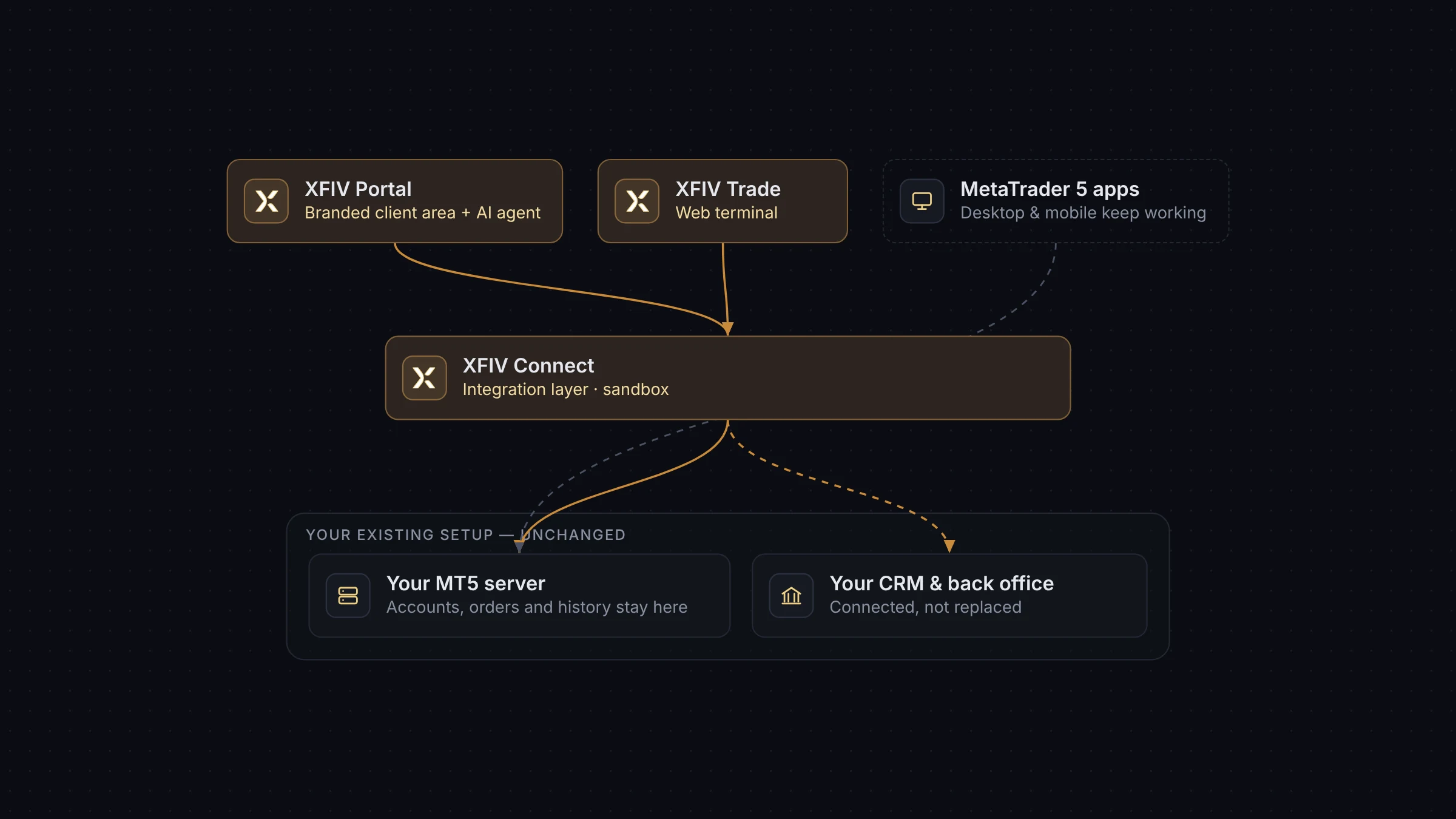
XFIV Portal and XFIV Trade running on top of an existing MT5 server
The problem

MT5 is solid. The layers around it often are not.

Most established brokers do not have an MT5 problem. They have a problem with what sits around MT5: a client area that looks ten years old, a CRM that needs manual exports, onboarding that loses clients between screens, and support teams answering the same balance question all day.

Replacing the trading server is expensive and risky, and it is rarely the right fix. XFIV takes the other route. Your MT5 server, symbols, groups and accounts stay where they are. XFIV Connect integrates with the server, and the client-facing products run on top of it.

That means you can upgrade one layer at a time, measure the result, and keep running your business while you do it.

Client experience

A client area your clients will actually use

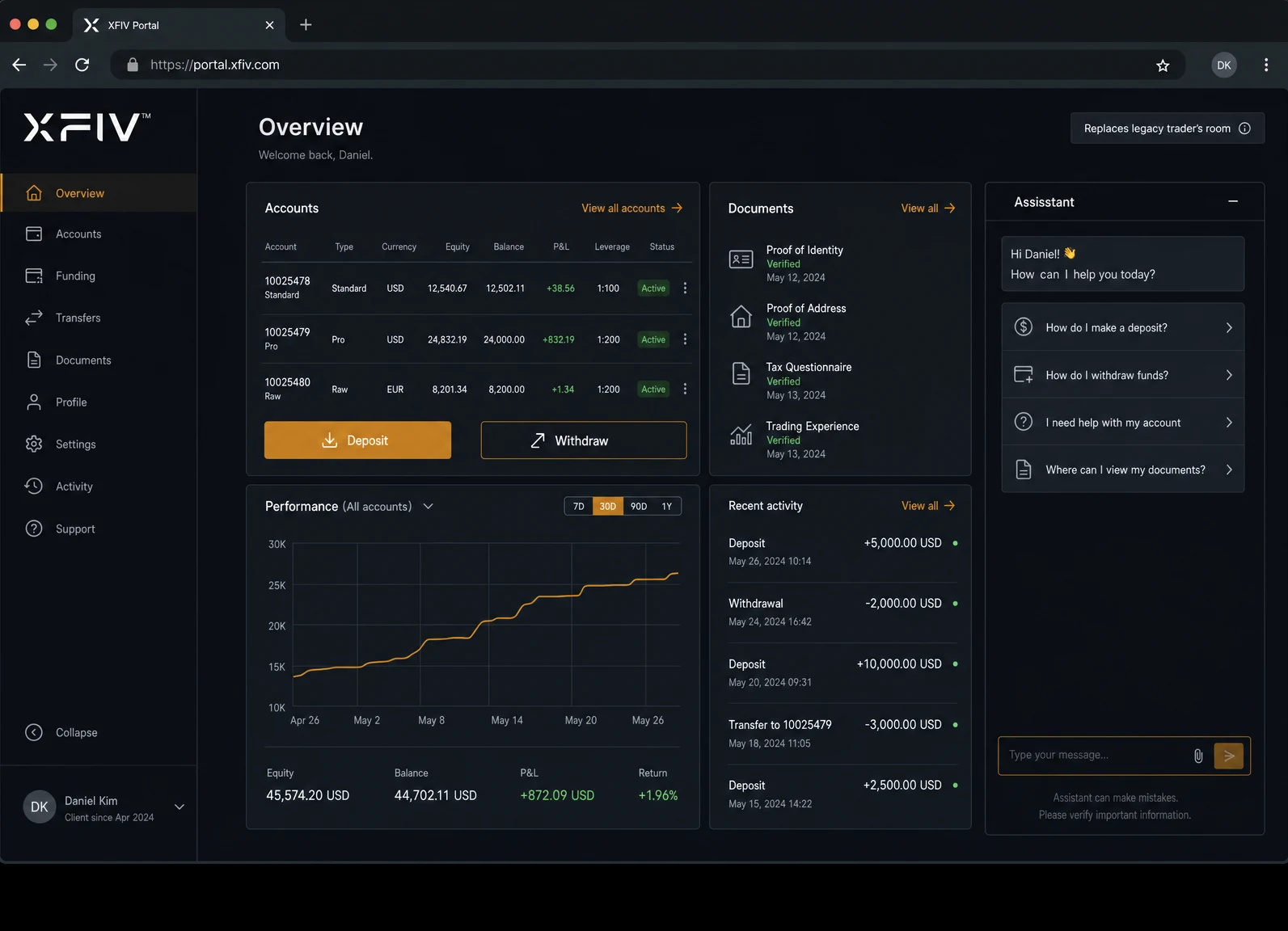
XFIV Portal replaces an ageing trader’s room with a branded client area. Clients open accounts, upload documents, request funding and see balances in one place. A built-in AI agent answers account questions in plain language and hands the conversation to your support team when it should.

  • Your logo, colours and domain
  • AI agent with human handoff to support
  • Multi-language interface
Branded XFIV Portal client area replacing a legacy trader’s room
Trading

A web terminal under your brand

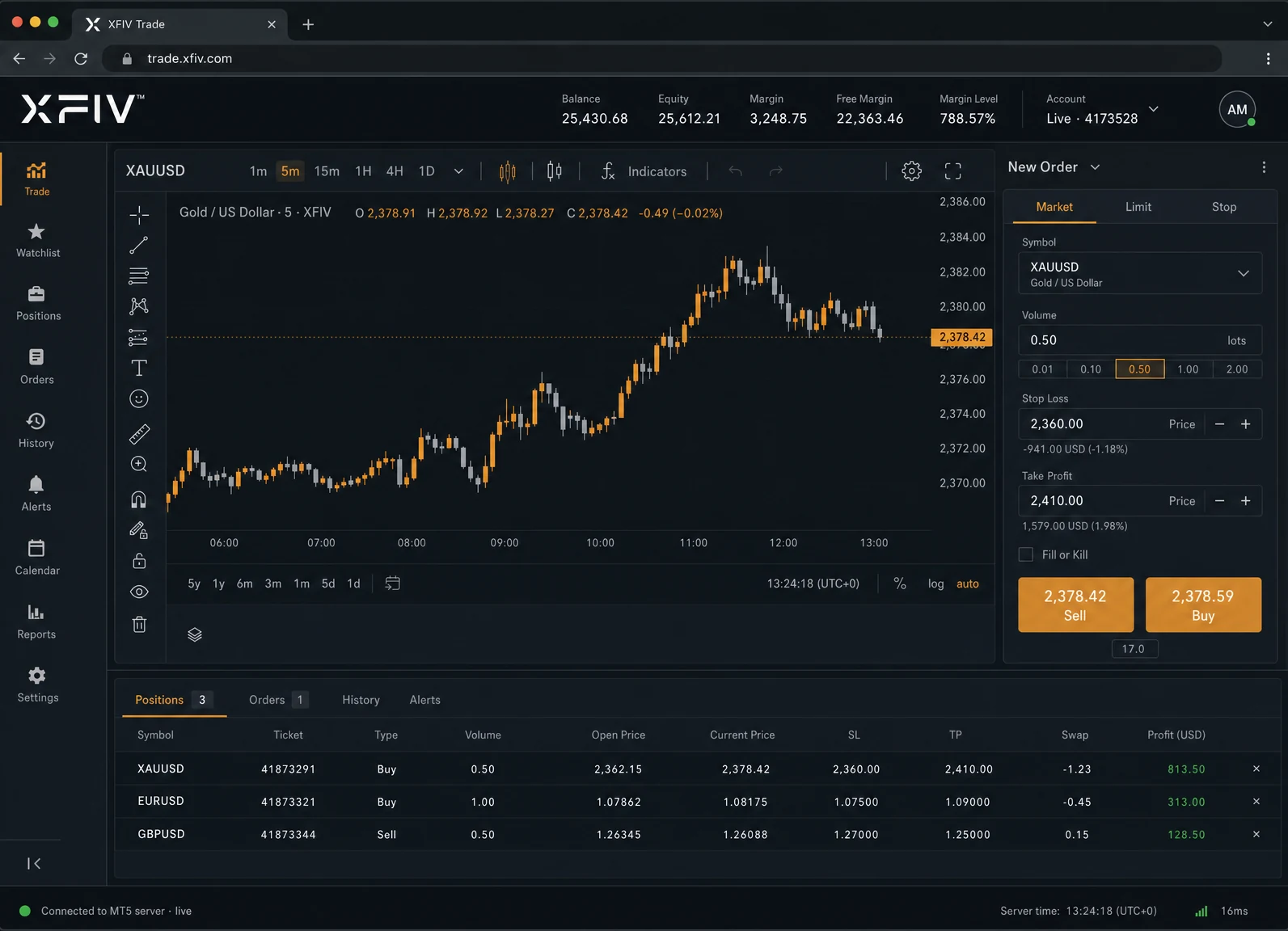
XFIV Trade gives clients a browser-based terminal connected to your MT5 server. Orders, positions and history stay on MT5. Clients who prefer the desktop or mobile MetaTrader apps can keep using them.

  • Runs in the browser, no install
  • Orders and accounts stay on MT5
  • Same brand as your portal
XFIV Trade web terminal connected to an existing MT5 server
Integration

One API between MT5 and your systems

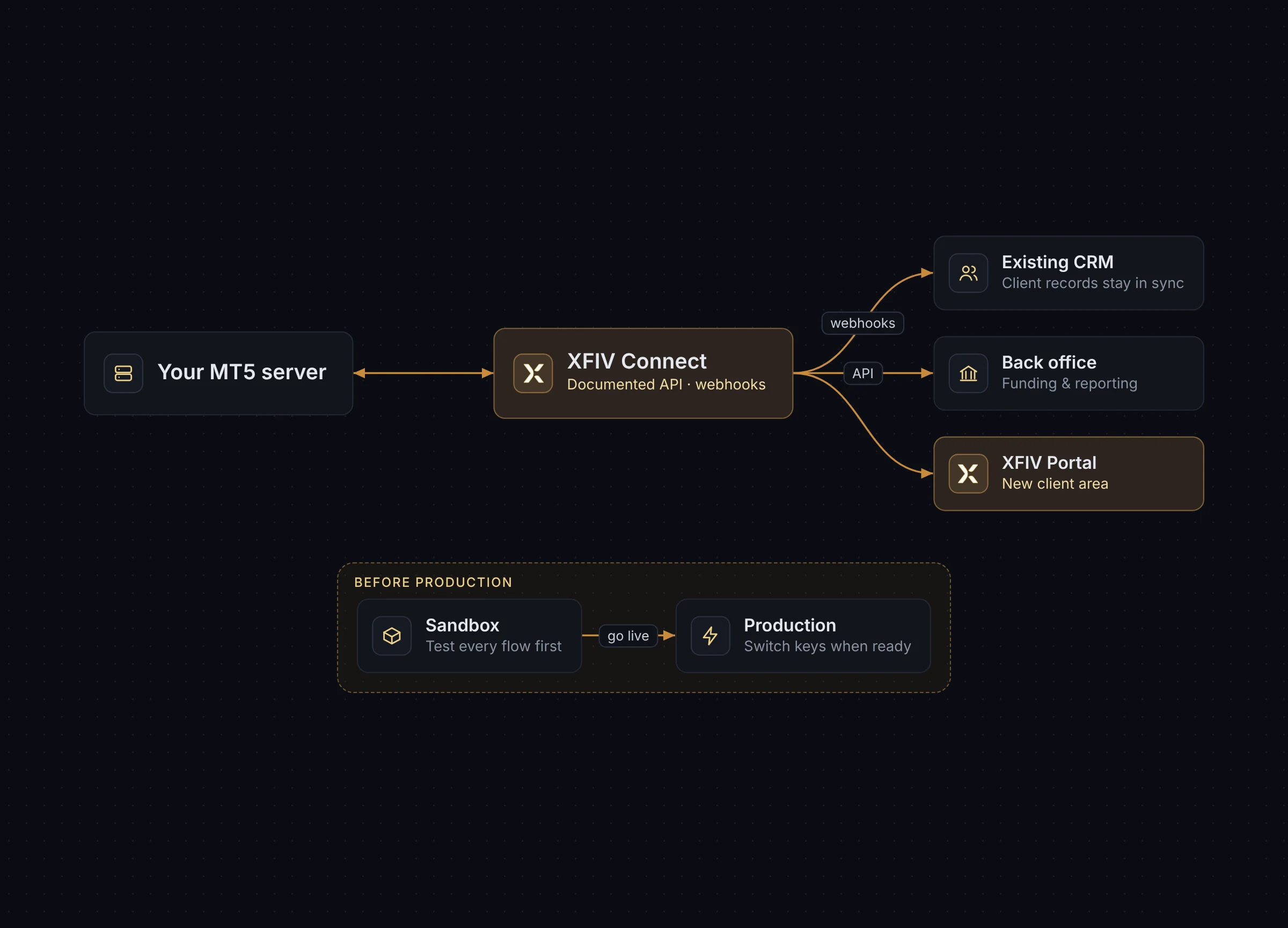
XFIV Connect is the integration layer. It creates accounts, reads data and sends webhooks to the systems you already run, so a new portal does not mean a new pile of scripts. Test everything in the sandbox before it touches production.

  • Documented API and webhooks
  • Sandbox for testing
  • Audit logs on every request
XFIV Connect linking MT5 to a broker’s existing CRM and back office

An Agentic Client Portal

XFIV Portal includes an AI agent your clients can talk to. It answers account questions, explains history, guides them through next steps and hands off to your support team when needed.

Explore XFIV Portal
AI
Agent inside the portal
Read
Account-aware answers
Handoff
To your human support
Brand
Your name, your tone

The AI agent provides information, not investment advice.

Migration

How a migration from your current CRM or portal works

  1. Review your setup

    We look at your MT5 server, your current portal or CRM, and how data moves between them today. MT5 build compatibility is confirmed at this stage.

  2. Connect in the sandbox

    XFIV Connect is linked to a test environment first. Your team checks account creation, data reads and webhooks before anything goes live.

  3. Map and move data

    Client profiles, documents and account links are mapped from your current system. Trading data stays on MT5, so there is no trade history to move.

  4. Run in parallel with a pilot group

    A small group of clients uses the new portal while the old one stays available. You compare, fix issues and decide when to switch.

  5. Switch over

    Clients move to the new portal on your domain. The old system can be retired once you are satisfied that nothing depends on it.

What changes

What changes and what stays the same

An upgrade with XFIV changes the client-facing layers. Your trading core stays put.

LayerWith XFIVStays the same
Trading serverIntegrated through XFIV ConnectYour MT5 server, groups and symbols
Client areaXFIV Portal with AI agentYour brand and domain
Web tradingXFIV Trade in the browserMetaTrader desktop and mobile apps
IntegrationsOne API, webhooks and sandboxYour liquidity and bridge setup
Back officeKeep your CRM, or move to XFIV BrokerOSYour existing processes until you choose to change
FAQ

Common questions

Do I have to replace my MT5 server to use XFIV?

No. XFIV works alongside your existing MT5 server. XFIV Connect integrates with it, and the other products run on top. The exact MT5 build compatibility is confirmed during onboarding.

Can I migrate from my current CRM or client portal?

Yes. Client profiles, documents and account links are mapped from your current system and moved in phases. Trading history stays on MT5. You can run the old and new portals in parallel with a pilot group before switching.

Will my clients need new MT5 accounts?

No. Existing MT5 accounts are linked to client profiles in XFIV Portal. Clients keep their account numbers and can keep using the MetaTrader apps.

Can I keep my existing CRM and only add the portal?

Yes. XFIV Connect sends webhooks and exposes an API, so your current CRM can stay in place while XFIV Portal handles the client side.

Plan your MT5 upgrade with us

Book a demo. We will review your current setup, suggest which layer to upgrade first and set up a sandbox so your team can test before anything goes live.

Last reviewed 2026-10-29