What the term means
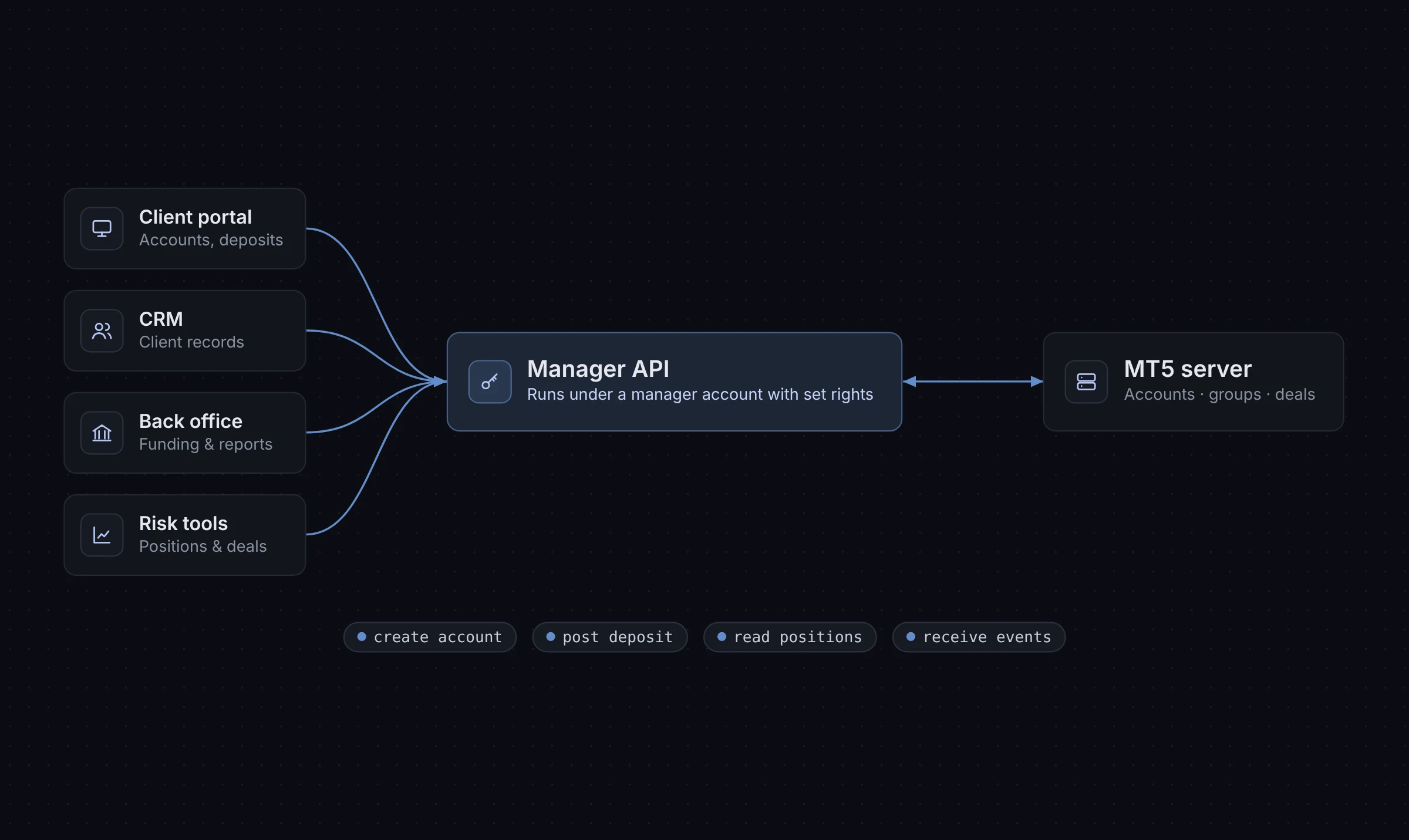
MetaTrader 5 has several server-side interfaces. The Manager API is the one designed for broker applications that need to act like a staff member: open accounts, adjust balances, read trade history and watch activity.
It is distributed by MetaQuotes to brokers that run MT5 servers. Applications connect with the credentials of a manager account, and the rights of that account decide what the application can do.
How it works
- The broker creates a manager account on the MT5 server and grants it only the rights the application needs.
- The application connects to the server with that account.
- The application makes requests, such as creating a user or posting a balance operation.
- The application can subscribe to events, such as new deals or account changes, and react to them.
The Manager API is a native library rather than a public web API. Most teams wrap it in their own service and expose a simpler REST or event interface to the rest of their systems.
Typical uses
- Creating live and demo accounts when a client signs up in a client area.
- Posting deposits, withdrawals, credits and corrections as balance operations.
- Reading balances, equity, margin, open positions and closed deals for reports.
- Moving accounts between groups, for example after verification.
- Feeding a CRM or back office with account and trade events.
- Calculating partner (IB) commissions from deal data.
Manager API vs other MT5 interfaces
| Interface | Used by | Typical purpose |
|---|---|---|
| Manager API | Broker applications | Account, balance and trading data management |
| Server plugins | Code running inside the MT5 server | Custom server-side logic and processing |
| Client terminal and web terminal | Traders | Placing and managing trades |
Check the current MetaQuotes documentation for the exact set of interfaces and what each one supports, as these change between builds.
What to consider when building on it
- Least privilege: give each manager account only the rights it needs.
- Connection handling: plan for reconnects, server restarts and updates.
- Idempotency: make sure a retried balance operation cannot be posted twice.
- Logging: record every request and response for audit and support.
- Testing: use a demo or test server, not production, while developing.
- Maintenance: new MT5 builds can change behaviour, so keep a test plan for updates.
How XFIV relates
XFIV Connect is an MT5 integration API for brokers. It gives broker systems a documented API, webhooks and a sandbox so teams do not have to wrap the native interface themselves. MT5 compatibility is confirmed during onboarding. See the XFIV Connect product page for details.
Frequently asked questions
Who can use the MT5 Manager API?
Brokers that operate an MT5 server, and the vendors they authorise. Access requires a manager account on that server.
Is the Manager API a REST API?
No. It is a native library. Many brokers and vendors build a REST or webhook layer on top of it for their other systems.
Can the Manager API place trades?
It has dealing-related functions, depending on the rights of the manager account. Whether an application should use them is a design and compliance decision for the broker.
How do I limit what an application can do?
Create a dedicated manager account for the application and grant only the rights it needs.